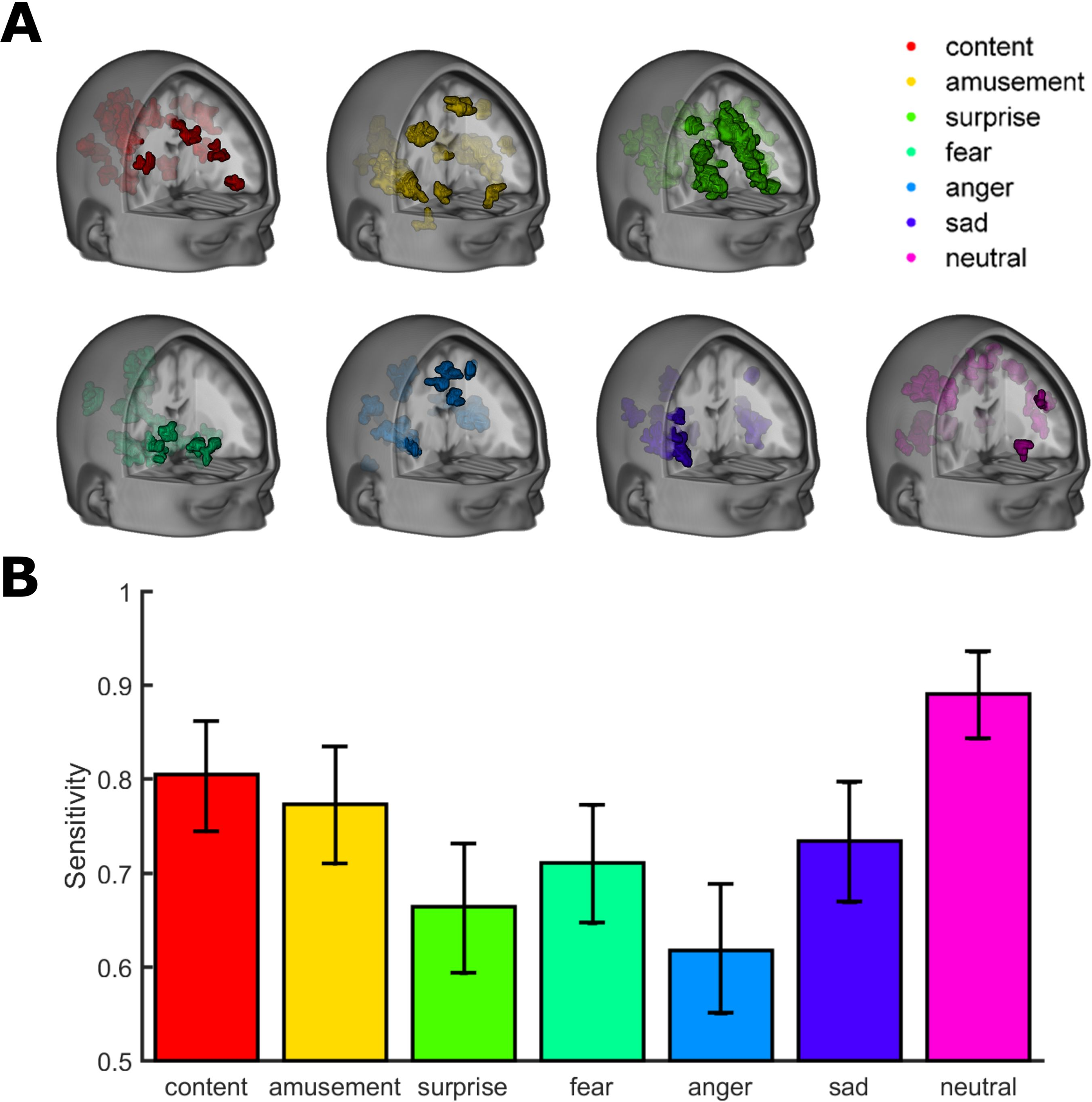
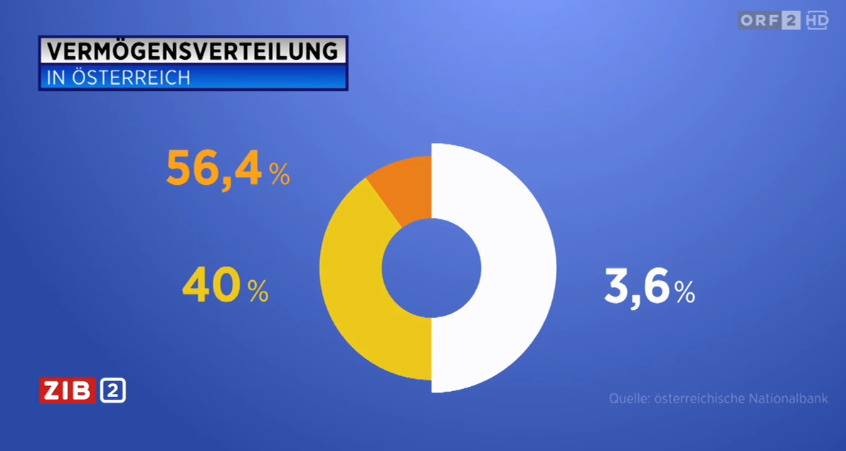
How to assess data visualizations

How to assess if a data visualization is good or not?

Different people have different criteria

My checklist

  1. Good data
  2. Honest representation
  3. Completeness
  4. Purposeful (message)
  5. Meaning and Context
  1. Accessible
  2. Intuitive
  3. Effective
  4. Efficient
  5. Ergonomic

#1 Good data

#1 Good data

  • “Garbage in, garbage out”
  • Only use data from trustworthy sources, collected using valid methods
  • Know your data:
    • provenance
    • limitations
    • measurement details
    • licence

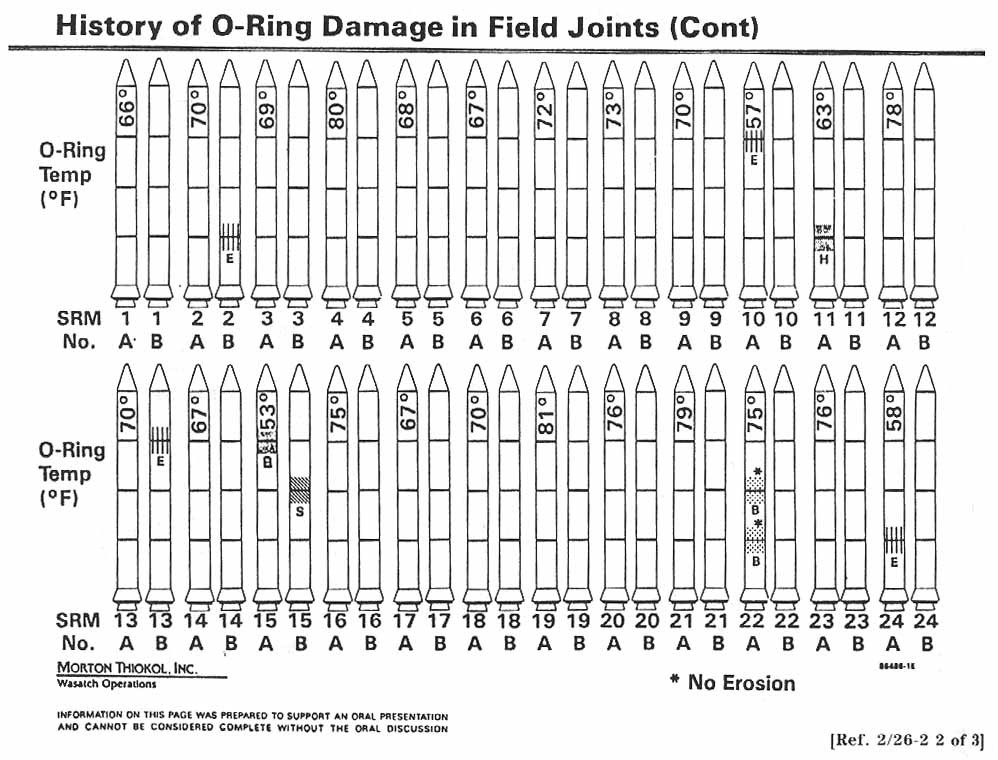
Source: https://rarehistoricalphotos.com

#2: Honest representation

#2: Honest representation

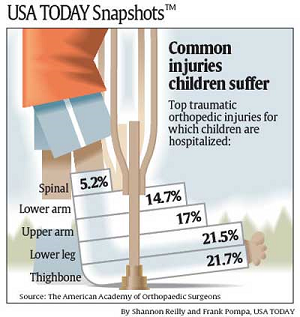
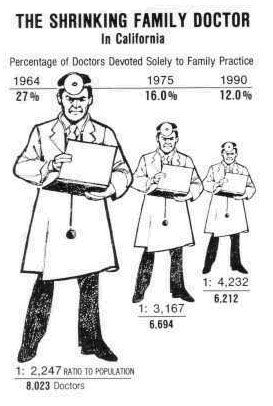
  • Avoid mistakes when mapping data to graph attributes
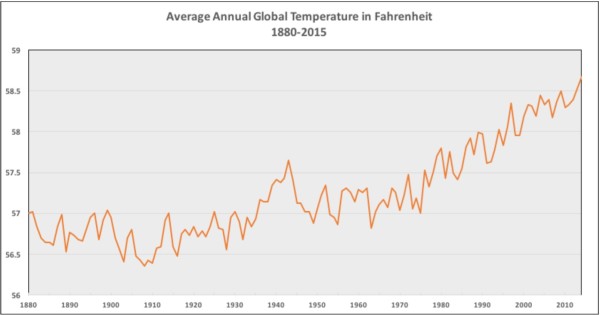
  • Do not cherry-pick data and ignore relevant data
  • Use common scales across figures/panels
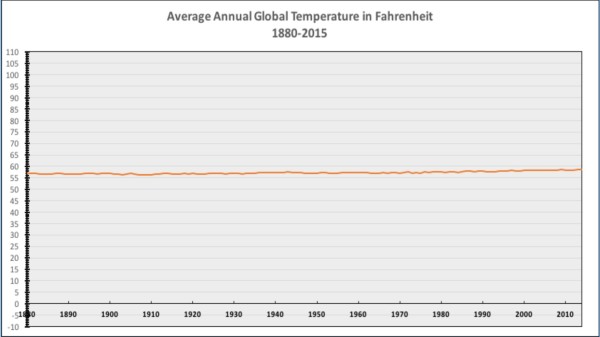
  • Use appropriate scaling
  • Indicate missing values and uncertainty
  • Avoid creating false patterns (e.g., using non-linear mappings).
  • (some “mistakes” are intentional)

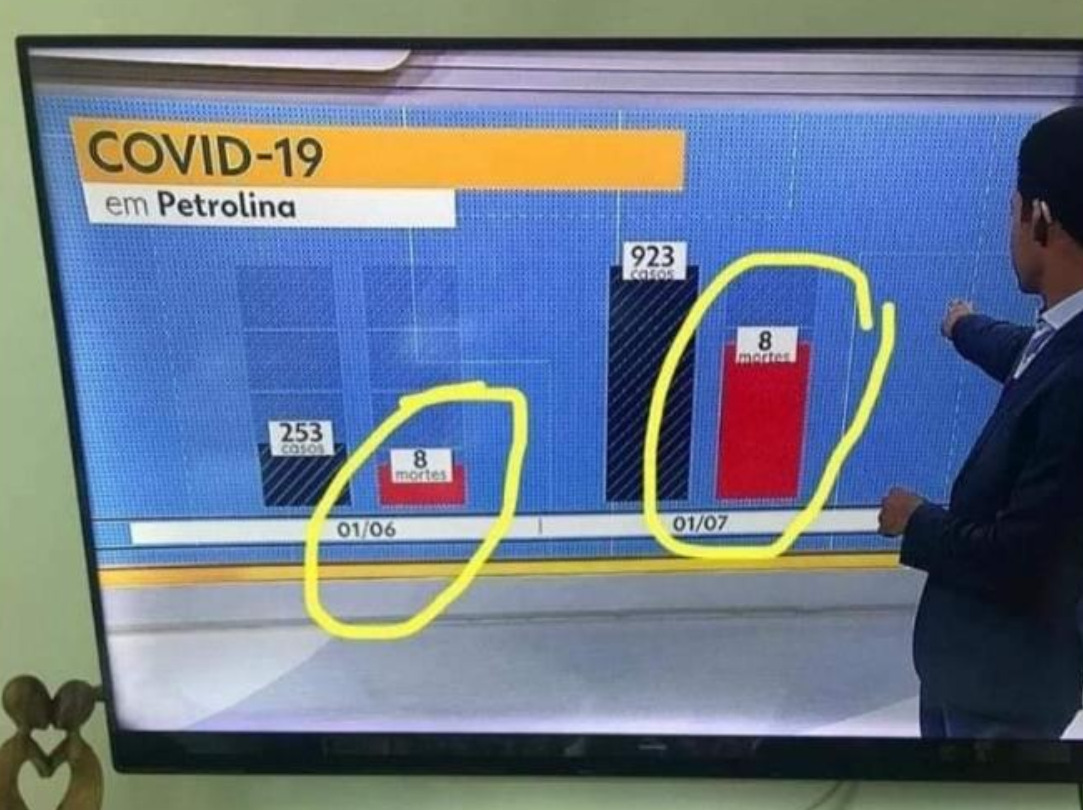
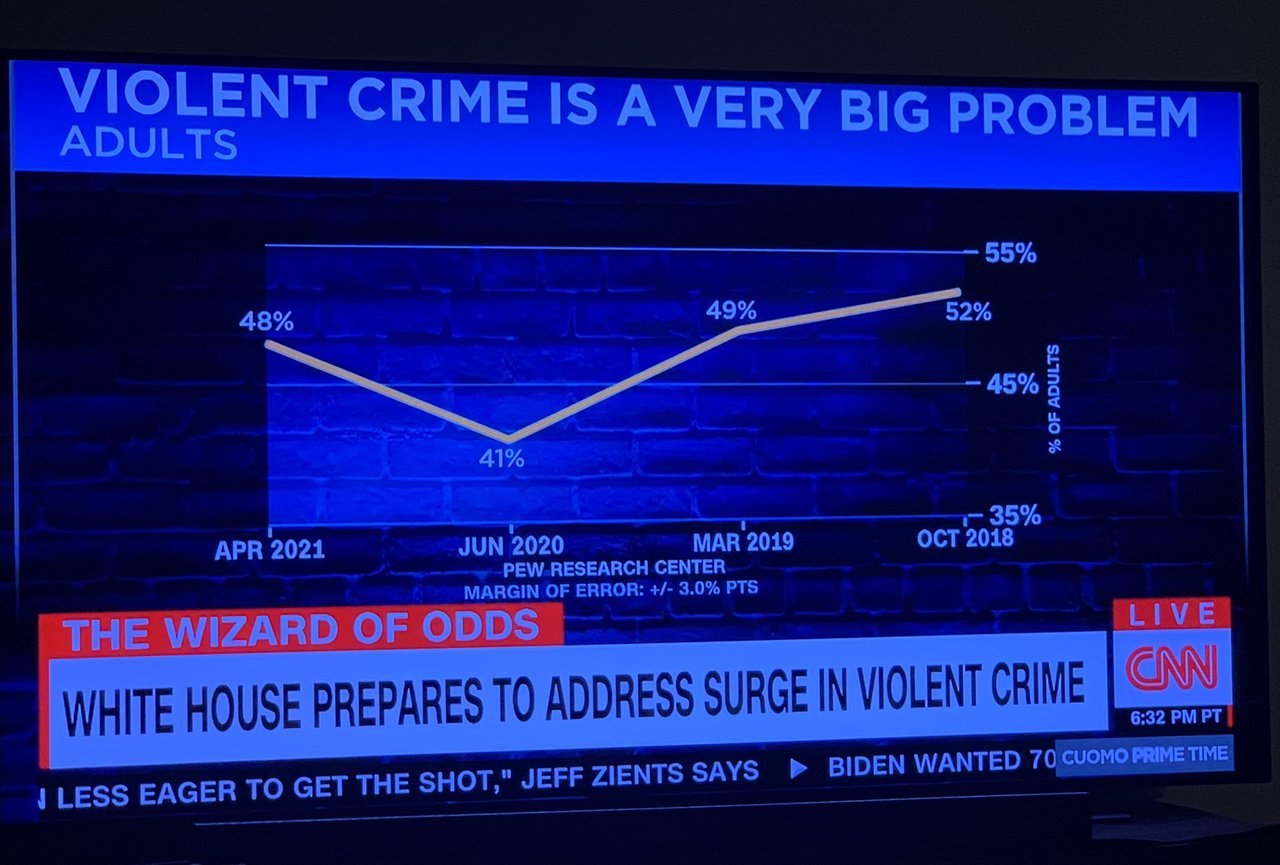
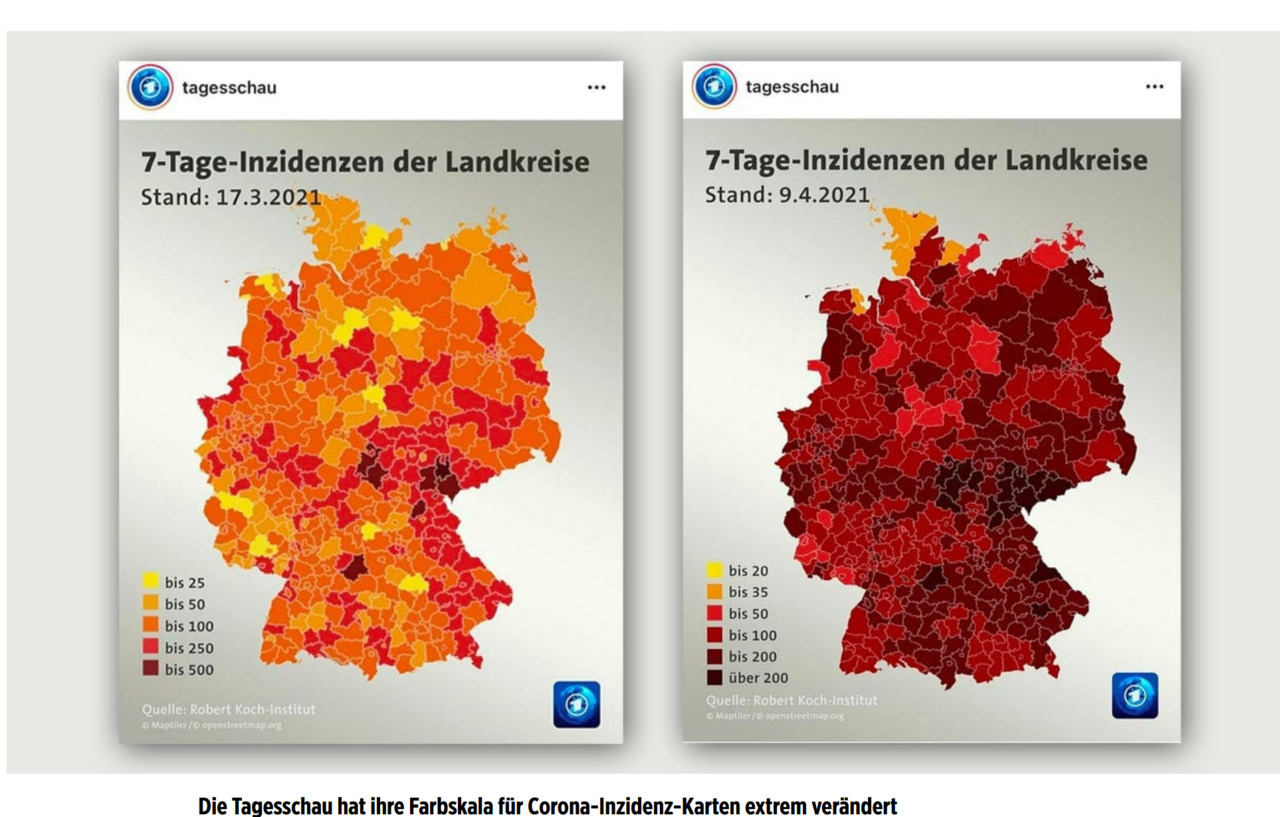
Source: https://viz.wtf

Source: https://viz.wtf

Source: https://viz.wtf

Source: https://viz.wtf

Source: https://viz.wtf

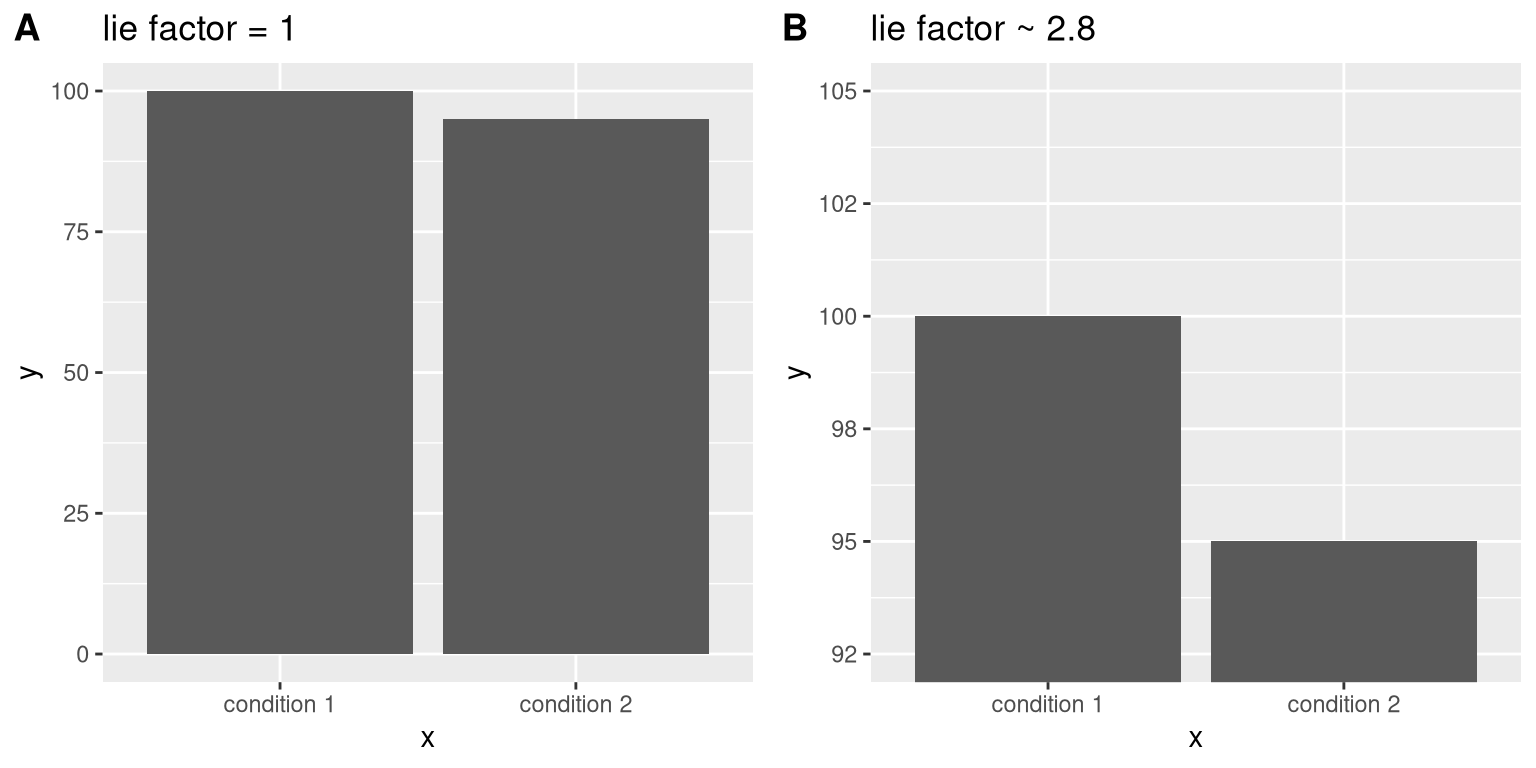
Avoid distortions

This is a complex topic…

\[\text{Lie Factor} = \frac{\text{size of effect in the visual}}{\text{size of the effect in the data}}\]

The Lie factor

Source: https://statsthinking21.github.io/

But…

Source: https://www.powerlineblog.com/

Source: Xiu-Yun et al. (2016)

#3 — Completeness

#3 — Completeness

Graphs must be self-contained (i.e., show everything that is necessary for the viewer to “get” the message).

This means, show the viewer:

  • what x and y labels, legend, units, colors mean
  • some indication of the uncertainty in the data
  • what data sources were used (when applicable)
  • what the message / point of that graph is (titles, annotations)
  • what “to do” with the graph to get the message

Source: Collins & Koechlin (2012)

Source: Miller et al. (2012)

#4 — Purpose / Message

#4 — Purpose / Message

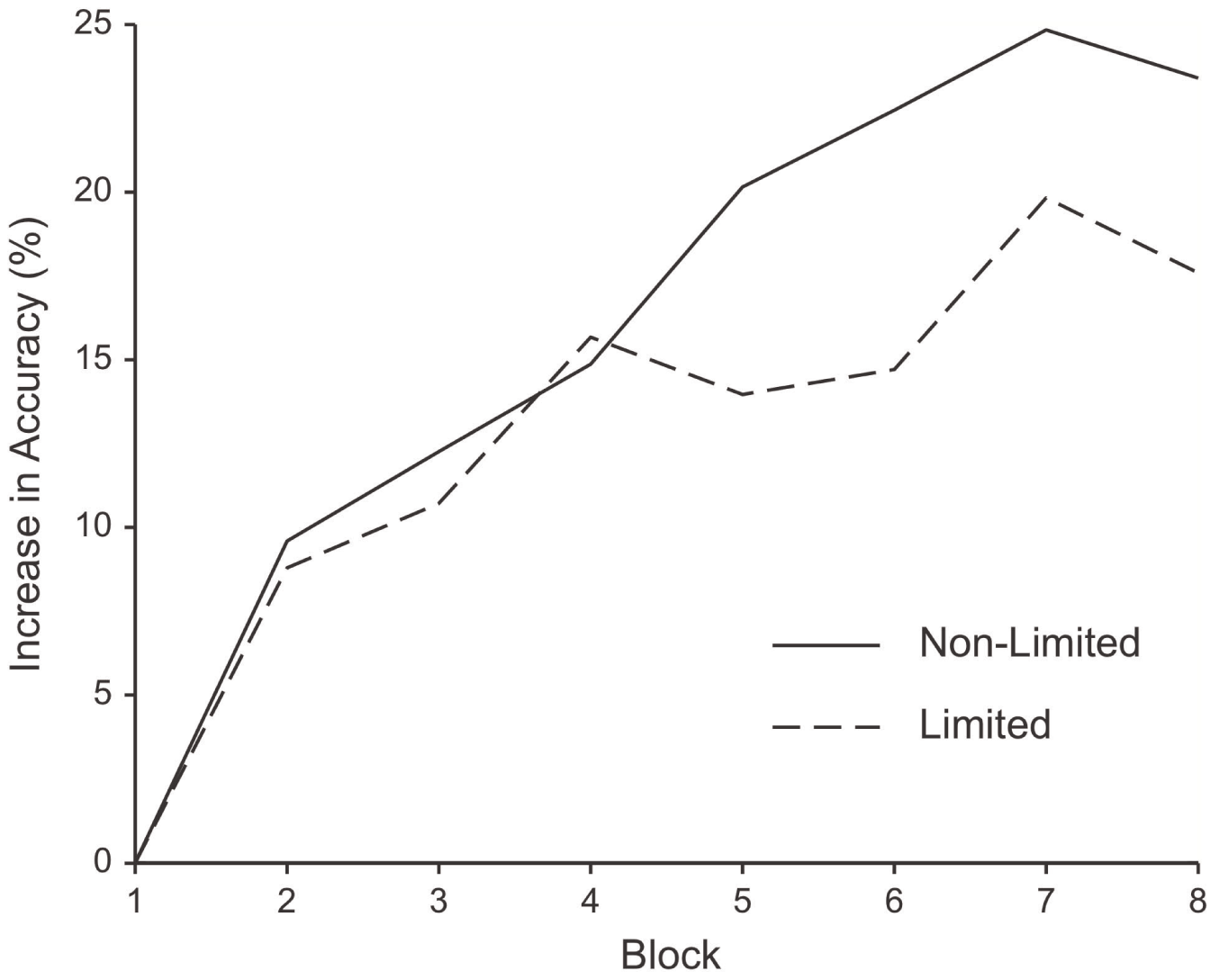
  • Each figure should have a clear message;
  • Ideally, that message is interesting and relevant;
  • This message should be the title of the figure.

Fig 1. Mean percentage of correct answers (panel a) and mean reaction times in correct trials (panel b) as a function of training session (S1, S2, S3, S4, S5) and group (younger adults, older adults). Bars indicate the standard error of the mean.

Source: https://journals.plos.org

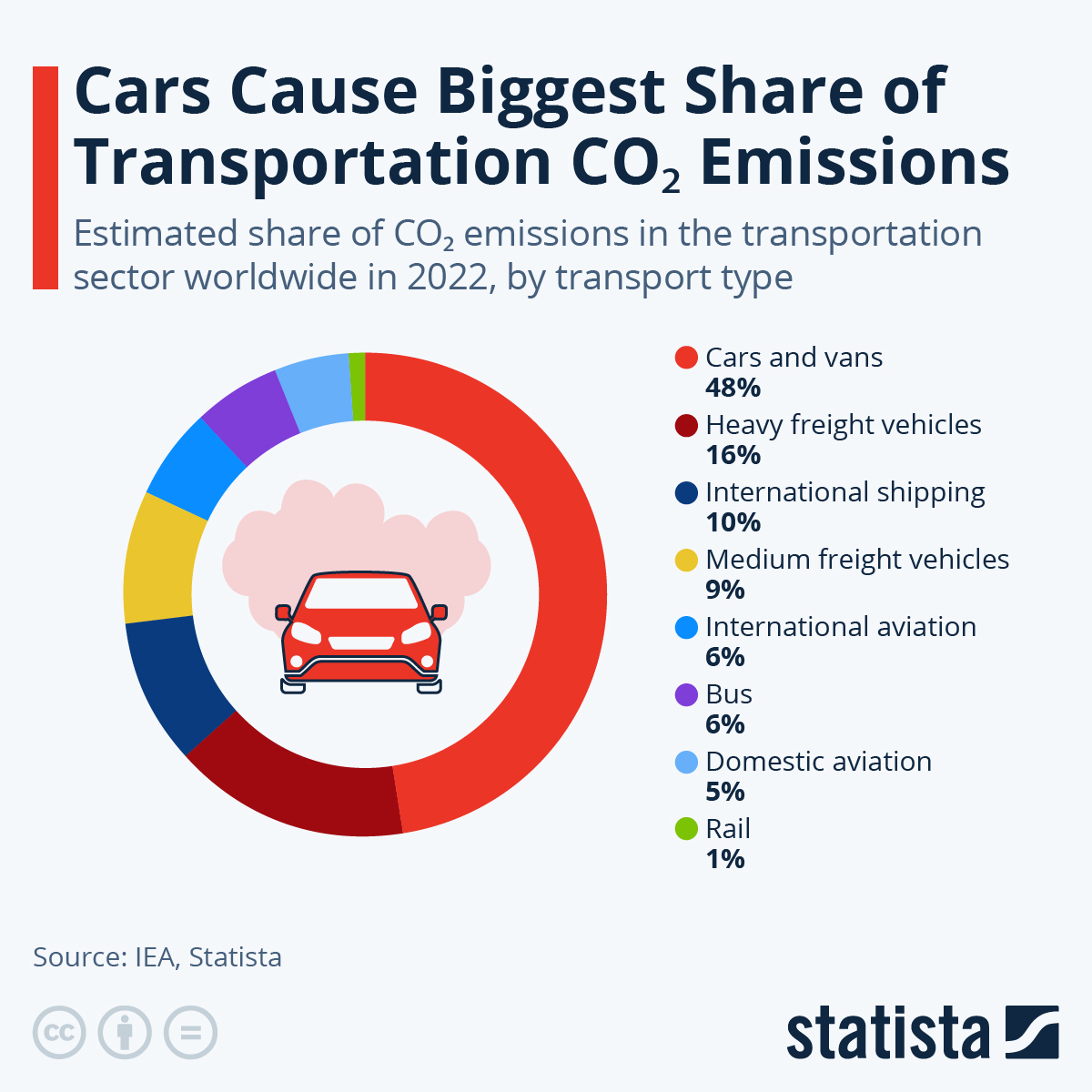
Source: https://www.statista.com

Source: https://www.statisticshowto.com

Rule 5 — Meaning / Context

Rule 5 — Meaning / Context

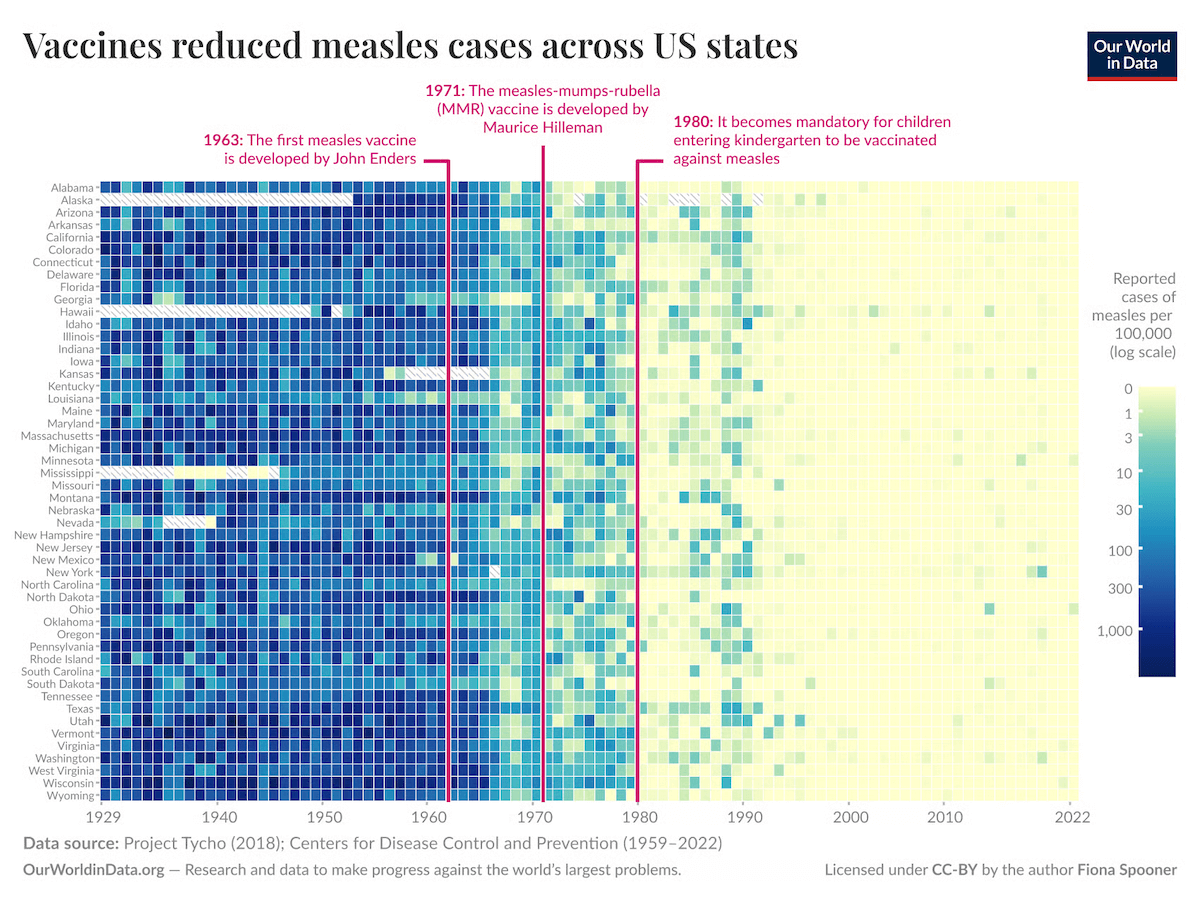
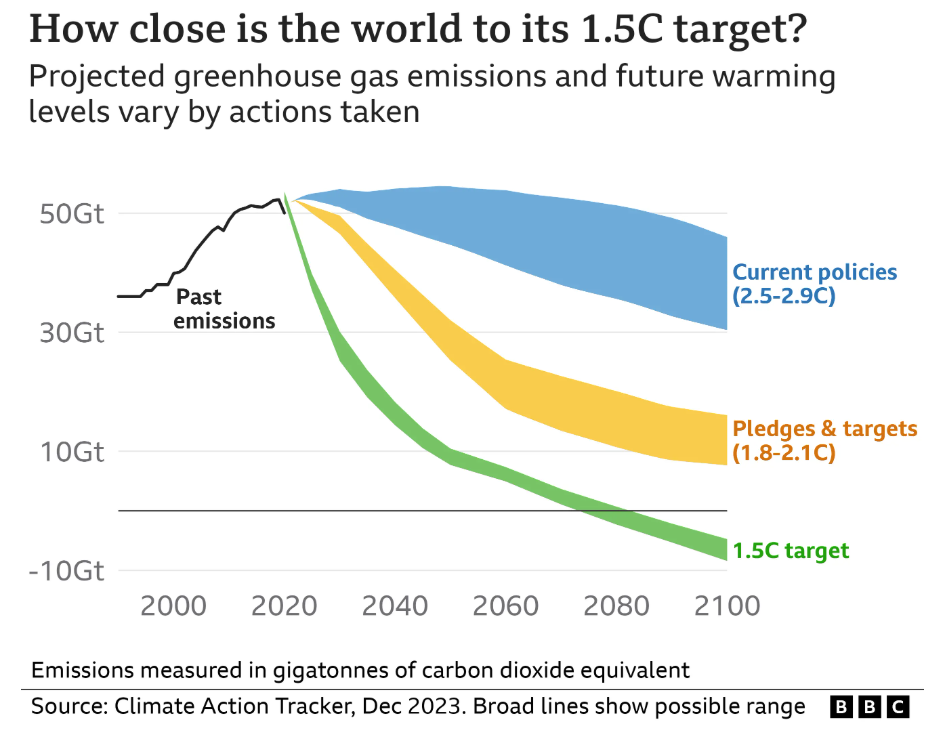
  • Provide additional information (i.e., not directly included in the data) for people to understand the figure (meaning) and get a sense of the relevance or importance of the message (context).

  • This can be done by:

    • reference points or curves
    • labelled regions or boundaries
    • annotations
    • illustrations, diagrams

Source: https://www.anychart.com

Source: https://www.bbc.com

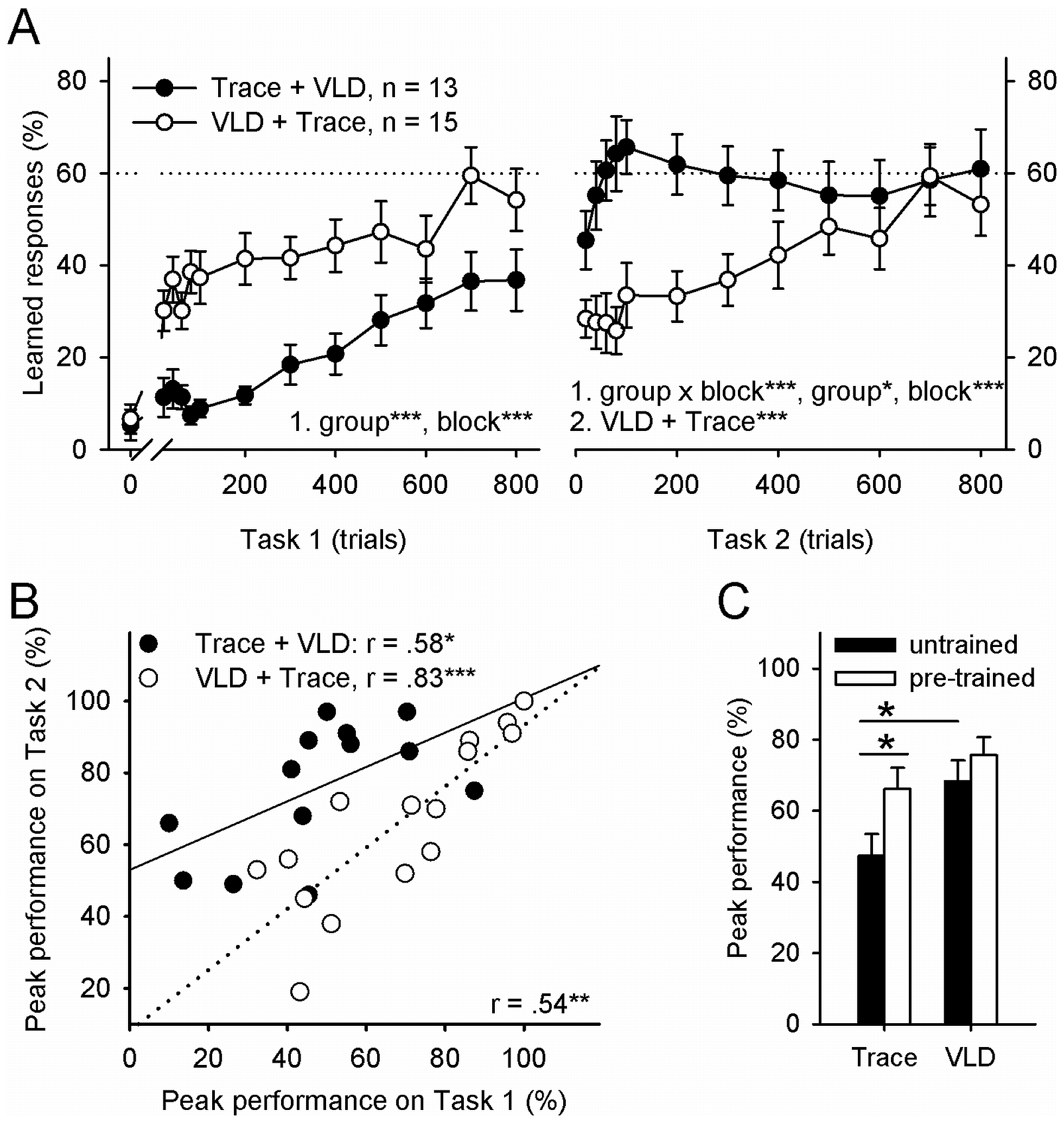
Figure 2. Learning was facilitated and predicted by previous learning of a similar task and very-long delay (VLD) conditioning was easier to learn than trace conditioning.
Source: Nokia et al. (2012)

#6 — Accessible

#6 — Accessible

Make figures that are adequate for most humans

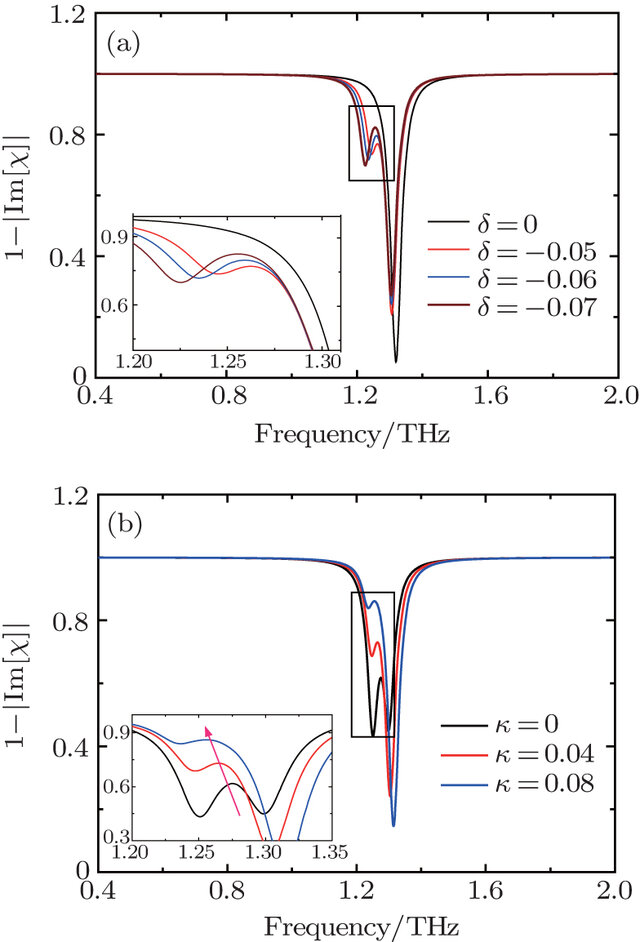
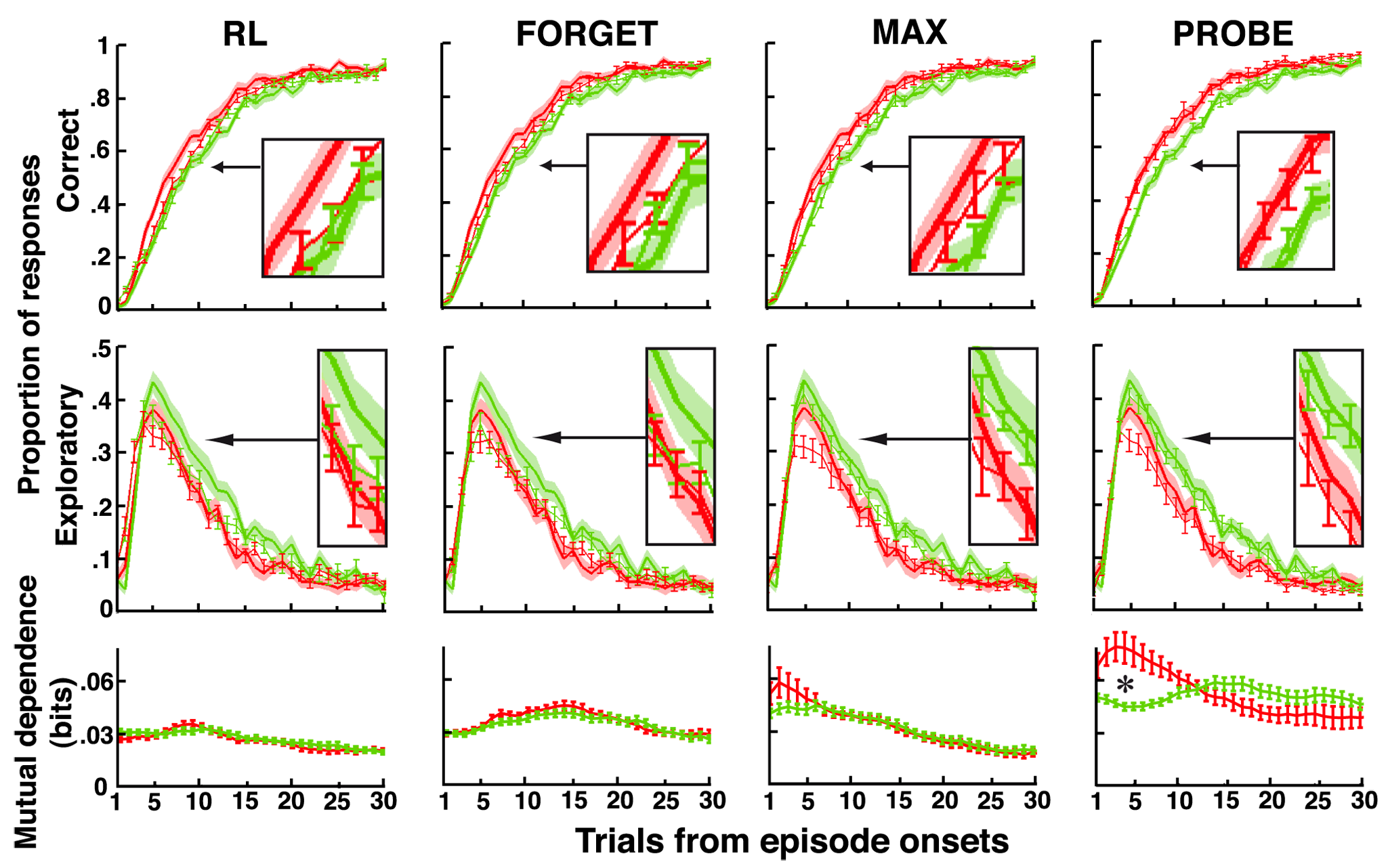
  • Ensure size, form, and contrast are adequate for human viewers.
  • Consider color blindness and the medium;
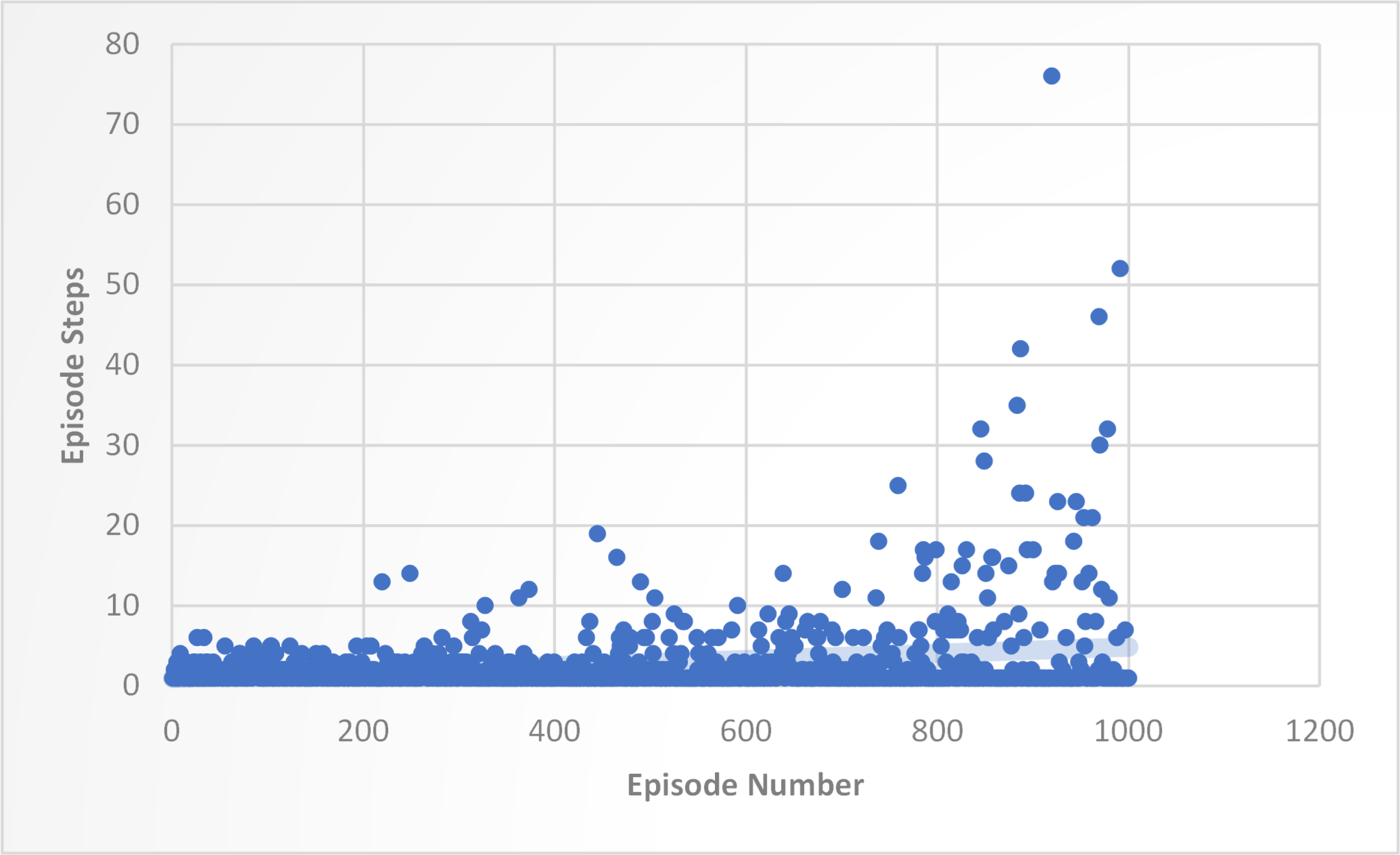
  • Avoid overplotting.

Fig 3. Training Performance of DQN Agent with 1000 Episodes and Episode Steps. Cyber security Enhancements with reinforcement learning: A zero-day vulnerability identification perspective. Naeem et al. (2025) — Source: https://journals.plos.org

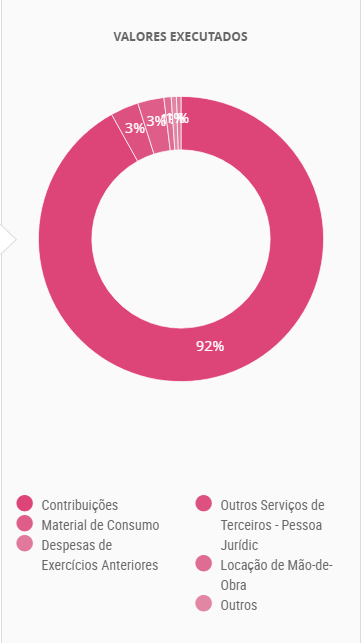
Source: Portal da Transparência / https://viz.wtf

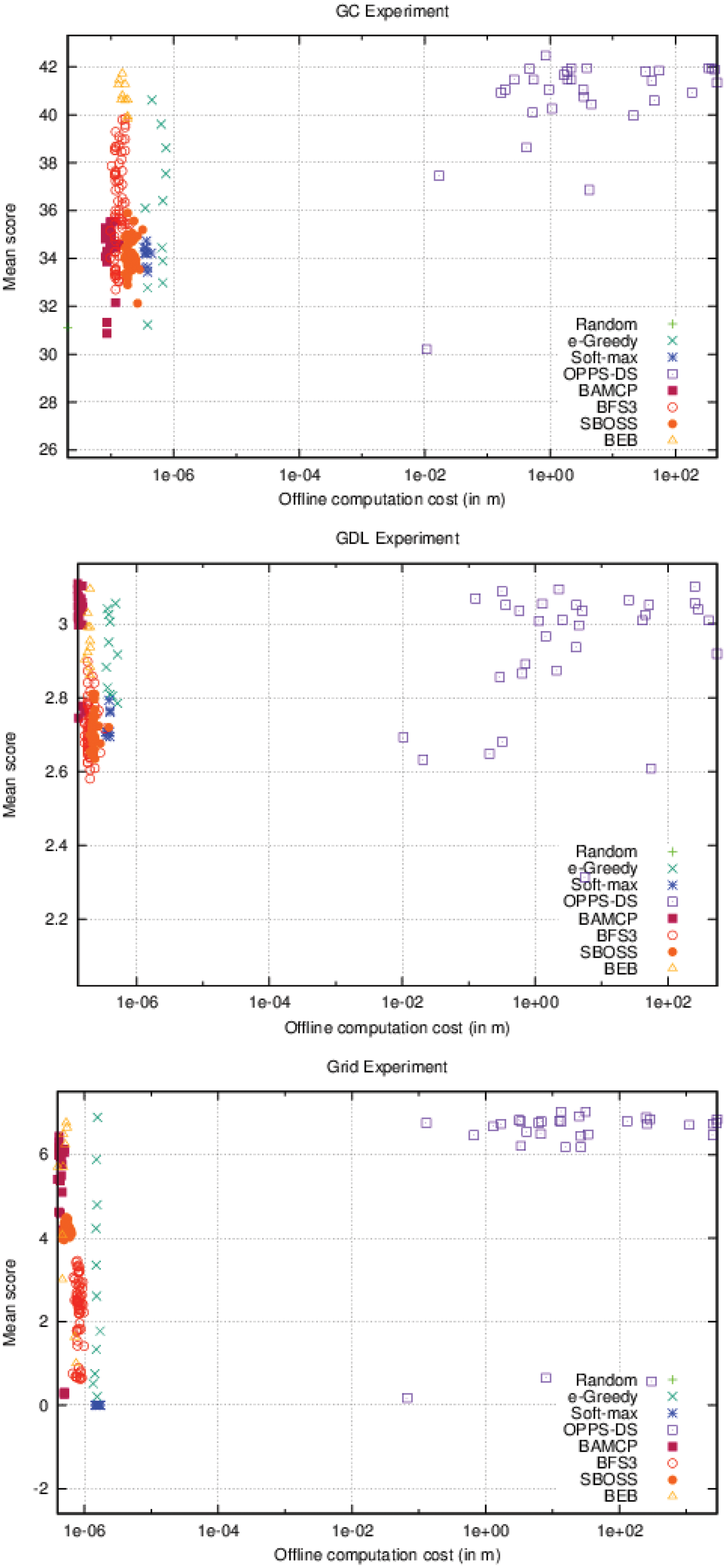
Fig 6. Offline computation cost Vs. Performance (accurate case). Castronovo et al. (2016) — Source: https://journals.plos.org

#7 — Intuitive / Conventional

#7 — Intuitive / Conventional

People have expectations and make assumptions. Violating those assumptions can mislead people. Show images to clarify topic

Example of common conventions:

  • increases go up
  • green is positive
  • reading top-down, left-right

Source: https://visualisingdata.com

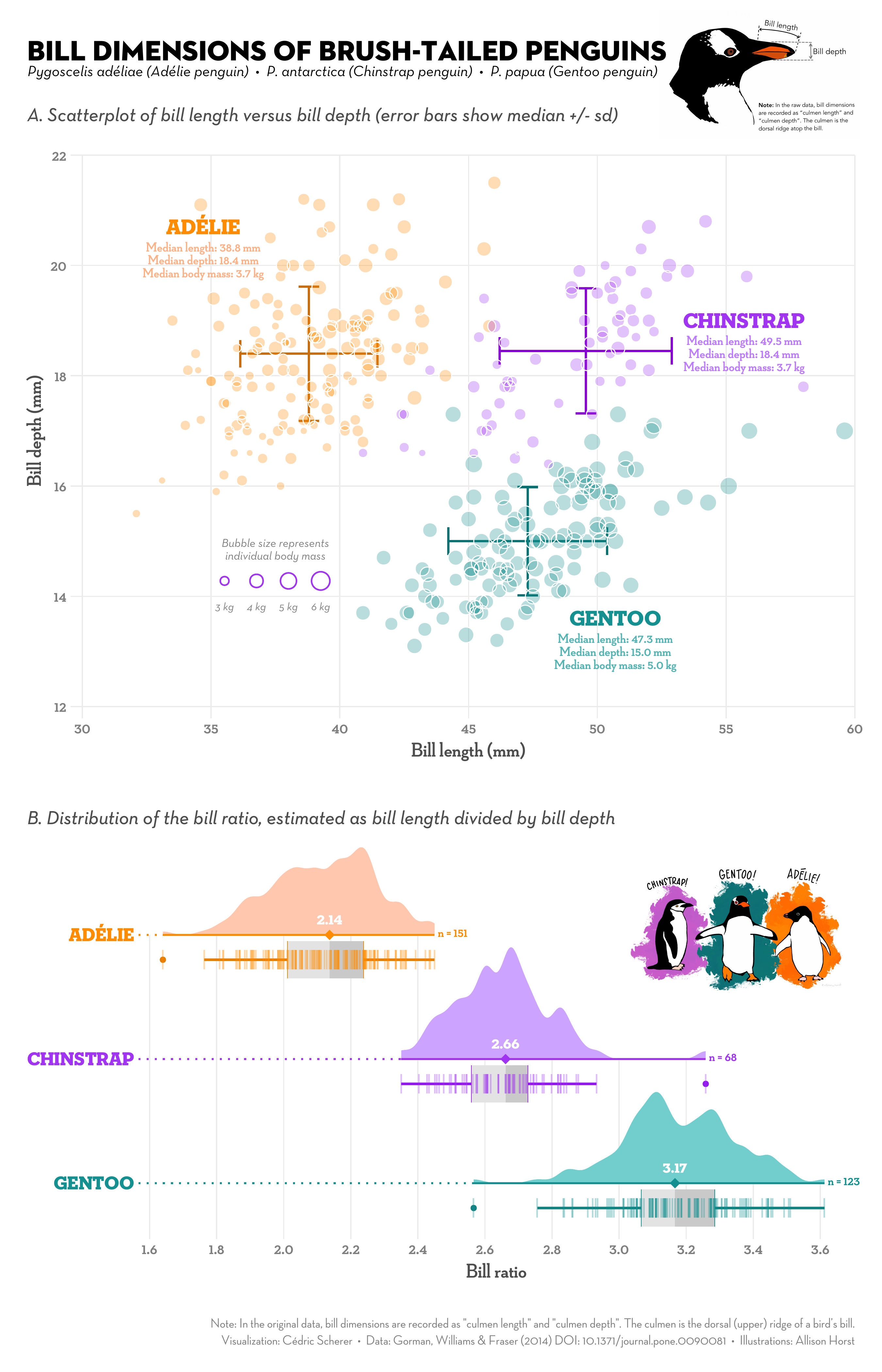
Source: https://github.com/z3tt/TidyTuesday

Source: Tufte (1991)

Source: https://viz.wtf

Conventions may be audience specific!
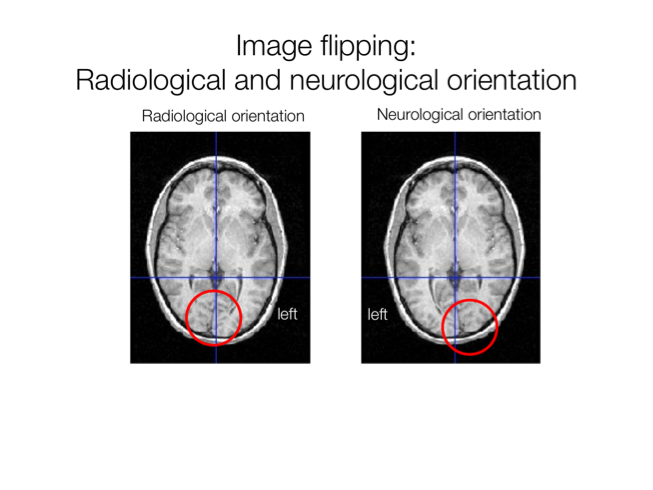
Source: Wager and Lindquist (2015) Principles of fMRI

#8 — Effective

#8 — Effective

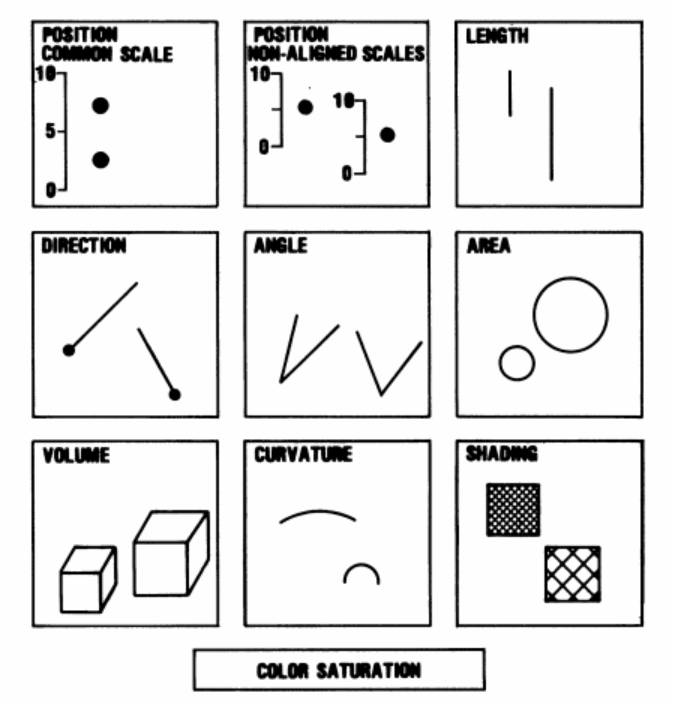
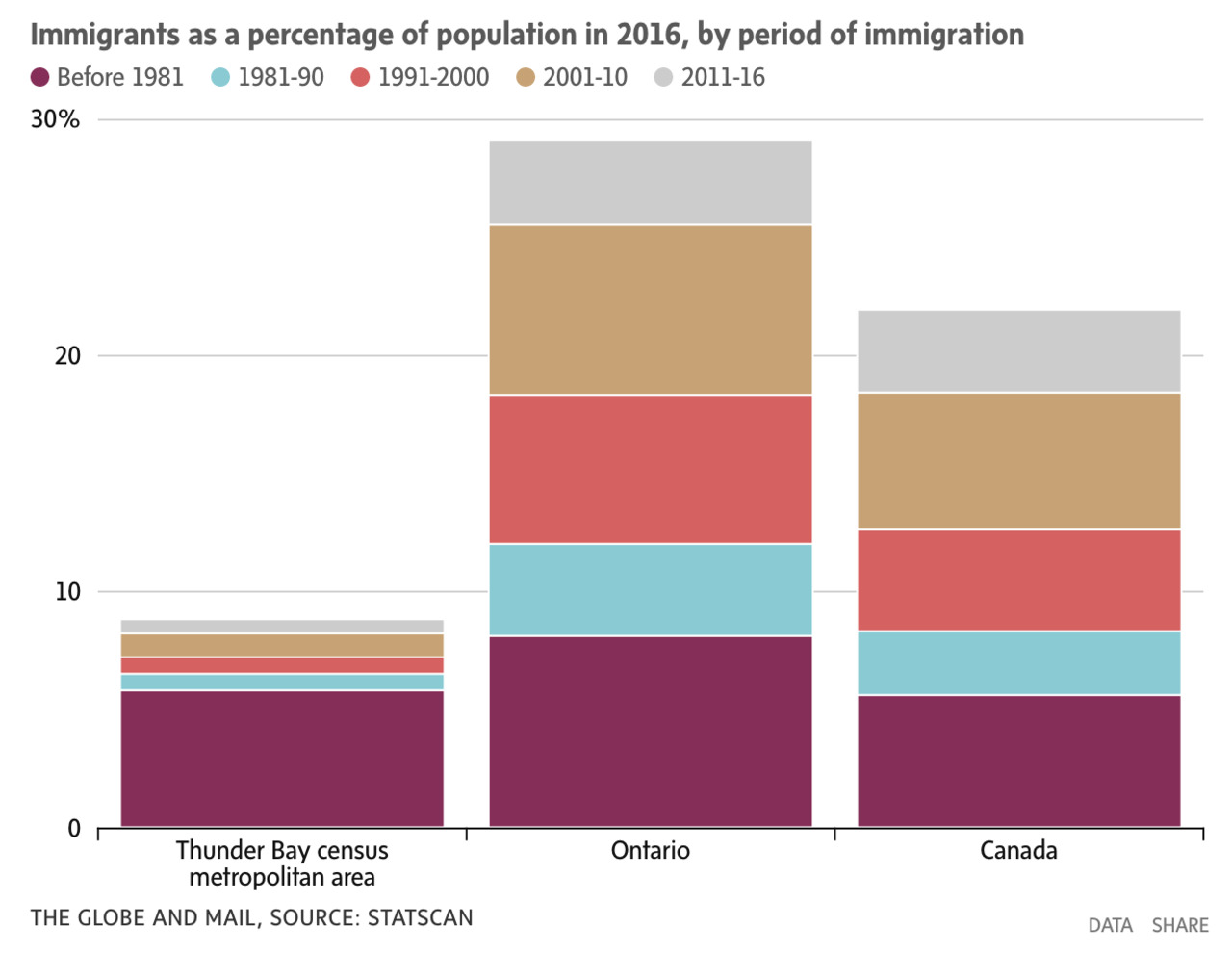
By effective I mean visual representation that are optimized for human perception and structurally adequate to support its message.

  • use the correct type of visualization
  • map the data to aesthetics following the laws of human perception

Source: Cleveland and McGill (1984)

3D pie chart example

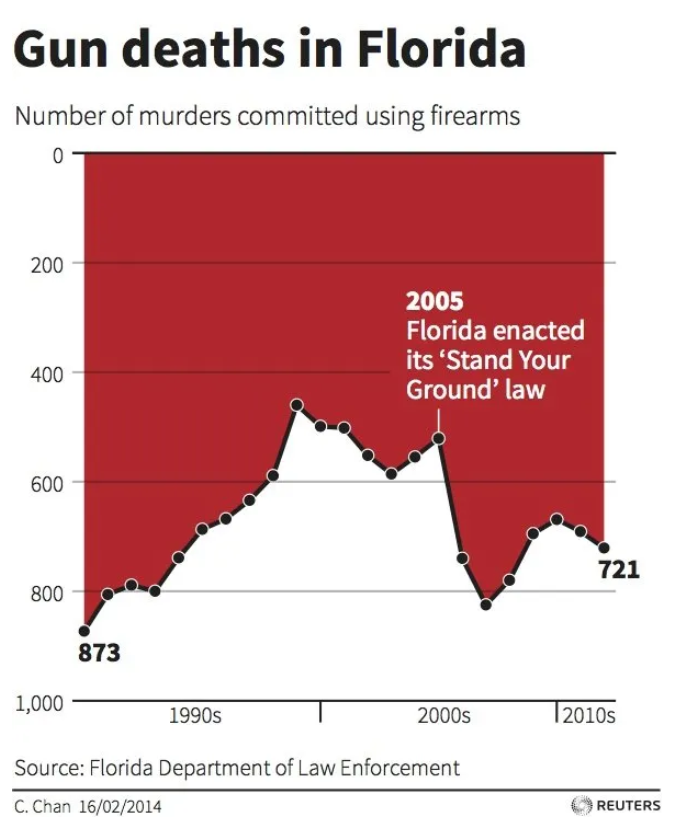
Source: https://viz.wtf

#9 — Efficient

#9 — Efficient

  • Every element should serve a purpose.
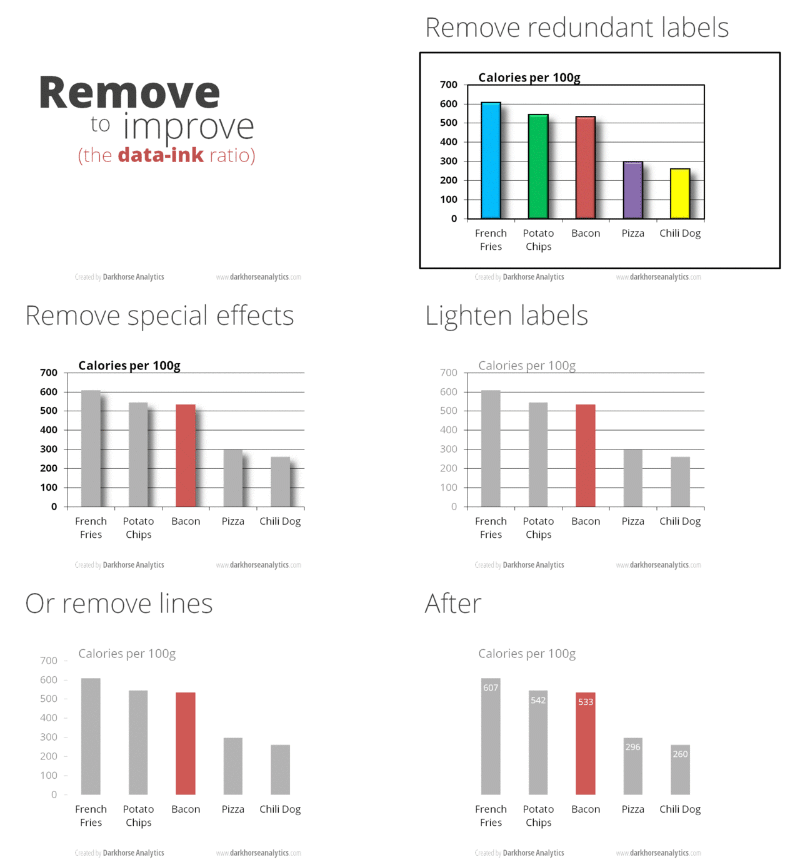
  • Remove clutter and unnecessary decoration.
  • Aim for simplicity while remaining truthful to the data.

Data/Ink ratio (chart junk)

\[\text{Data-ink ratio} = \frac{\text{ink used to display data}}{\text{total ink used in visualization}}\]

#10 — Ergonomic

#10 — Ergonomic

Minimize effort: the elements in the figure should be organized to minimize effort (e.g., eye movements, searching, memorizing):

  • put elements where they are needed
  • add lines/references to facilitate reading and comparing
  • put things that are to be compared close to each other
  • be consistent (e.g., colors always mean the same thing)

Guide attention trajectory: The elements in the figure are organized in a way that make it clear to the reader in what order they should be processed.

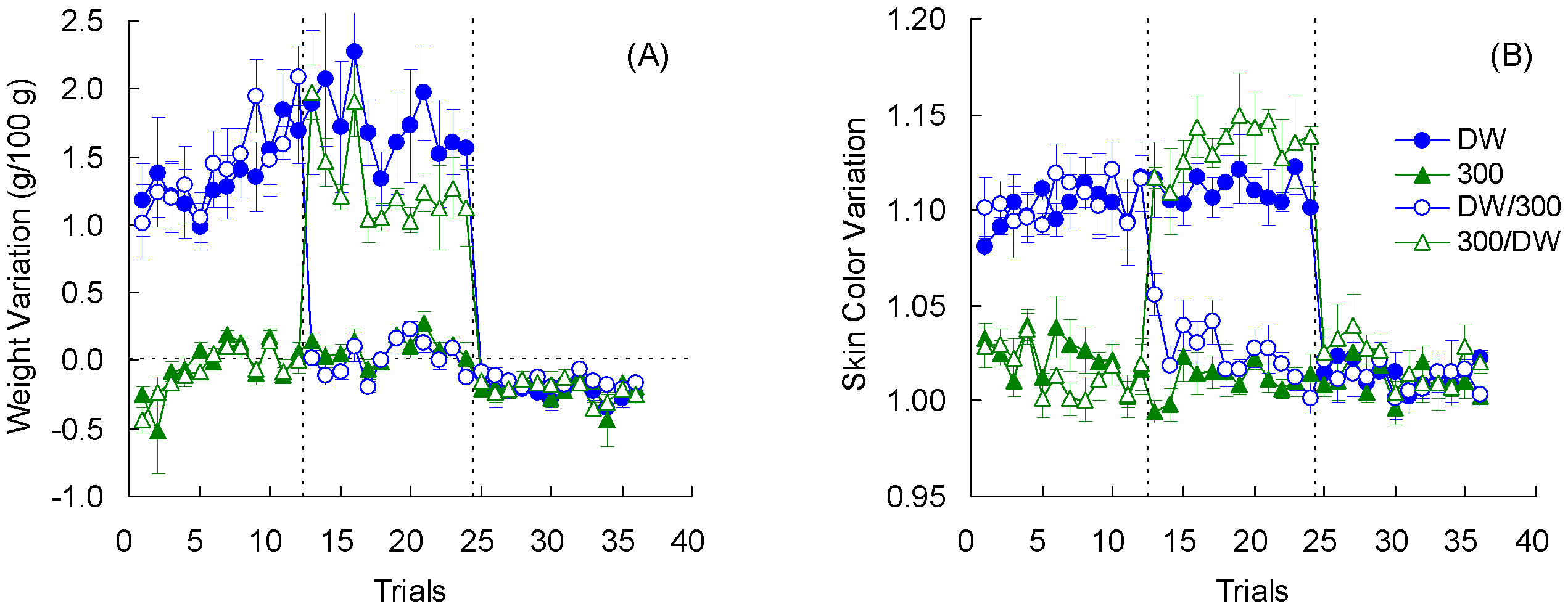
Figure 4. Weight variation (panel A) and Skin color variation (panel B) in Experiment 2. Means ± standard errors (alpha = 0.05) are plotted. Muzio et al. (2011) — Source: https://journals.plos.org

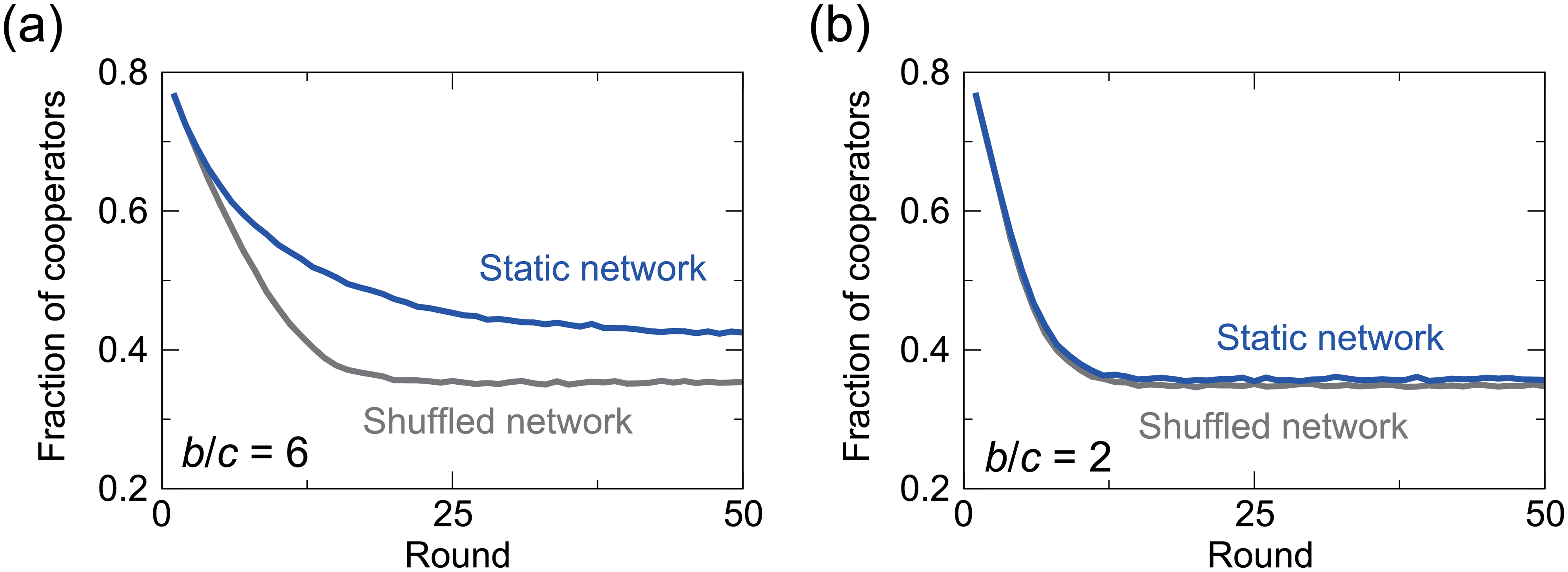
Ezaki & Masuda (2017) — Source: https://journals.plos.org

Gasque (2016) — Source: https://journals.plos.org

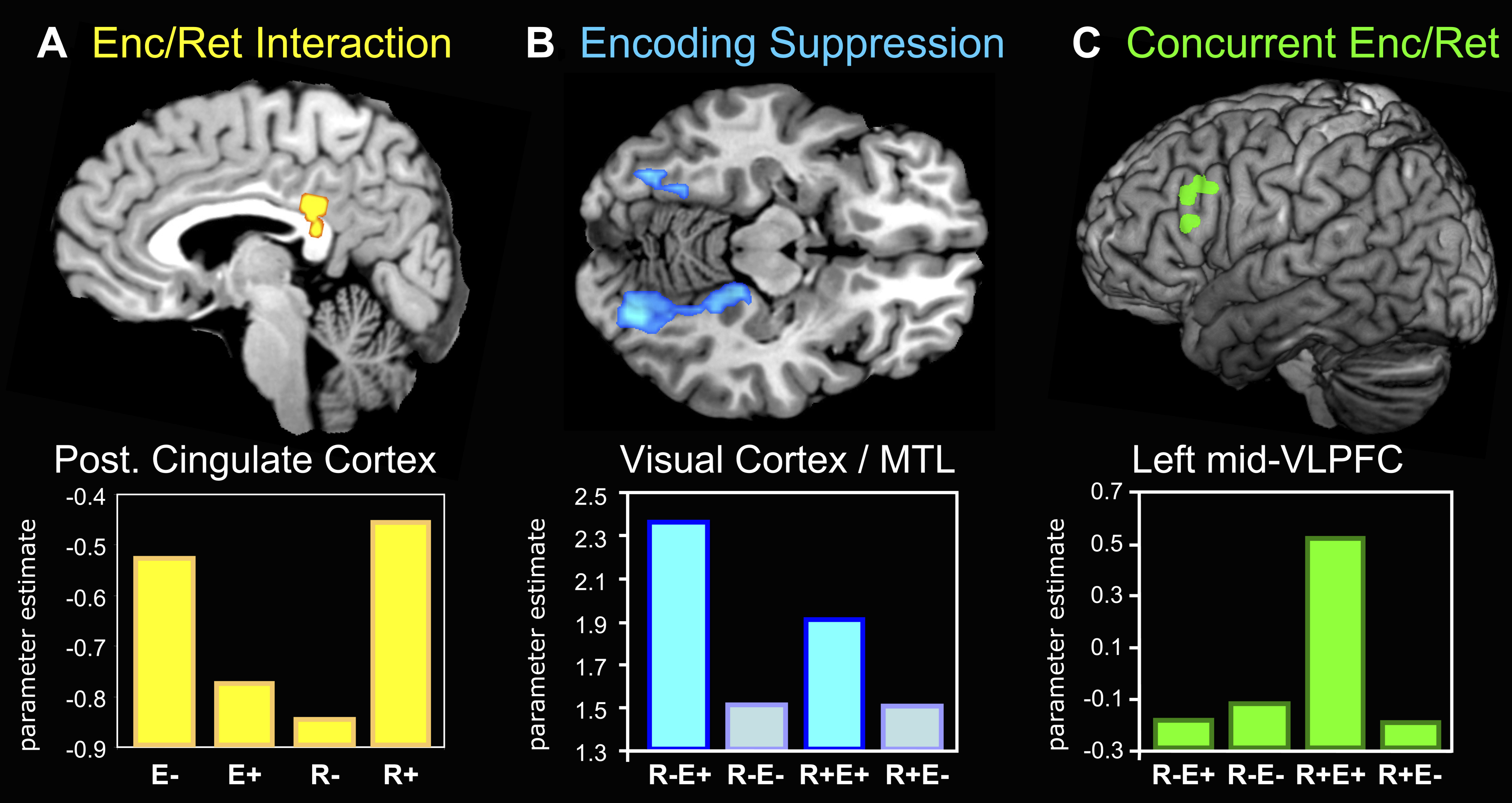
Figure 3. fMRI Results. Hujibers et al. (2009) — Source: https://journals.plos.org

Recap

  1. Good data
  2. Honest representation
  3. Completeness
  4. Purposeful (message)
  5. Meaning and Context
  1. Accessible
  2. Intuitive
  3. Effective
  4. Efficient
  5. Ergonomic

Questions? Comments?

Your turn

Review the 4 images you selected last time.

Comment each of them along the 10 dimensions we just covered